Glow Party Fundraiser
Pick a Day. Your Student Glows.
Every day of the month is a piece of glow gear, a snack at the glow station, or one of the bigger items a student gets at the glow dance: the entrance band on the 1st, LED glasses on the 11th, the pizza slice on the 24th, face painting on the 31st. The price is the date, every family can buy every day, and the dance itself is for every kid in the room.
Every day is glow gear or a treat your student gets at the glow dance. The price is the date, every family can buy every day.
Example calendar · what yours will look like
The Glow Party calendar
Pick a day, your student gets that day’s glow gear at the party. Day 1 = the entrance band.
What is a glow party fundraiser?
A glow party fundraiser is a pick-a-date calendar fundraiser for a school's glow-in-the-dark dance: a glow party calendar where every day is a glow item or a treat a student receives at the party, priced at the date. Families buy days for their student; the PTA hands the gear out at the door and the food at the glow station.
The dance, the games and the DJ are for every kid, paid or not. What the calendar sells is the glow: the entrance band that counts the room, the bracelets and necklaces and finger lights, the LED glasses with their flash modes, the light-up cup, the pizza slice, the photobooth picture, and the bigger items at the top of the month. Day 1 doubles as the ticket count by homeroom, so the PTA knows how many fifth graders are coming before it rents the black lights.
How a glow party fundraiser fills in 72 hours
Real numbers, real calendar. One school PTO, one September, hour by hour. Every calendar fills the same way, yours included.
Built and live in 57 minutes
Campaign created mid-afternoon, Stripe connected, live at 4:34 PM. Fifteen classroom participants joined through the school's group text.
Each participant gets a personal link by email
113 of 114 gifts came through personal links. No invite list uploaded — the automatic link email plus the class group text did it.

Parents give after bedtime
The single busiest hour was 11 PM. $391 landed on day 1, most of it after 9 PM. Plan your team message for the evening, not the school run.
37% by day 4 — then a bigger second week
$722 by day 4. The surprise came on days 7–9: $413, $391 and $356 as late-joining families got their links. The second week beat the first.
The late joiners carried the second week
Every new participant brought their own family burst. 70% of gifts carried a message for a specific child.
Get every classroom's link out on night one
The families who had a link on day 1 gave on day 1. The ones who got it a week later gave a week later. Same money, one week sooner, if every participant joins the first night.

Sell the band first. Print the door list the night before. Let the bigger items close the month.
Send one link on a Sunday night and ask every family to buy day 1, the entrance band, so the headcount is in by Monday. Each evening print tomorrow's list. In the last week push the bigger items: face painting, the DJ song, the family pack.
The tools you get to manage it
Here's how you manage it on your phone
Tap through the five things organizers use most. This is a sample team with made-up people.
Watch gifts come in
Your total, your progress and every gift, the moment it is paid.
Built in minutes. Connect a payout account to go live. You keep 100% of calendar donations; donors pay a small flat fee, shown before payment.
Everything a glow party fundraiser needs
Built for the glow dance at once: one glow party calendar, every family, the door list and the glow station list, the color choices, the receipts, and a business spot on every blank square.
The price is the date
The entrance band is $1, LED glasses $11, face painting $31. Rename any day, change its price, drag a day onto another to swap them.
Every family, the same day
A glow day never sells out: every student whose family bought day 11 gets glasses. Cap a day when an order has a limit.
Keep 100% of calendar purchases
Days land in your own Stripe or Square account. Families cover a small service fee at checkout, shown before they pay.
Apple Pay · Google Pay · Cash App
Tap a day, type the student and homeroom, pick the color, pay in seconds. No account, no app download.
Lists for the door and the station
Gear prints as a door list by homeroom; food prints as the glow station list with the flavor beside the name; a supplies count says how many green glasses to order.
One link, one QR
The newsletter, the class group text, the poster by the gym door: everything points at one calendar for the whole school.
Glow party fundraiser ideas that fill the calendar
- 01
Make day 1 the ticket
The entrance band is the cheapest day and the headcount. Every family buys it first, and the homeroom they type tells you how many third graders are coming.
- 02
Sell the colors
LED glasses in five colors, ear headbands in seven, finger lights in four: the choice at checkout is what the kid cares about, and the supplies count tells you how many of each to order.
- 03
Put the food at the top
The light-up cup, popcorn, cotton candy and the pizza slice sit at days 20 to 25, where the price covers the cost and a parent still says yes.
- 04
Keep the dance for everyone
Nothing on the calendar is the dance, the games or the DJ. A kid whose family bought nothing still dances; the calendar sells the glow, not the night.
- 05
Fund the black lights from the blank squares
Every blank square before the 1st and after the 31st reads Your business or logo here. The pizzeria and the dentist pay for the lights the gym needs.
- 06
Let the family pack close the month
Day 29 is two foam sticks, two pairs of glasses and a headband. The parent who wants the night covered buys it in one tap.
- 07
Run the homeroom contest
Set a prize and the calendar shows the homerooms with the most days. Extra recess sells the second half of the month.
- 08
Keep a glow fund
Turn on the fund and a family can buy a day for a student the school picks. The office assigns it privately.
- 09
Print the door list the night before
One file holds every day's list and the supplies count, ready for the volunteers at the door and the glow station.
- 10
Take a day off when the order falls through
No cotton candy machine after all? Mark day 23 not this month and it greys out; nobody can buy it and nothing has to be refunded.
How a glow party fundraiser works
Build the glow calendar.
Pick the Glow Party template; 31 days come pre-filled with glow gear, food and the bigger items. Rename, reprice, or drag any day.
Families buy days for their student.
Share one link with the whole school. A parent taps a day, types the student and homeroom, picks the color, and pays with what's on their phone.
Hand it out at the party.
Print the door list and the glow station list the evening before. Payouts go to your own Stripe or Square account.
More school calendars
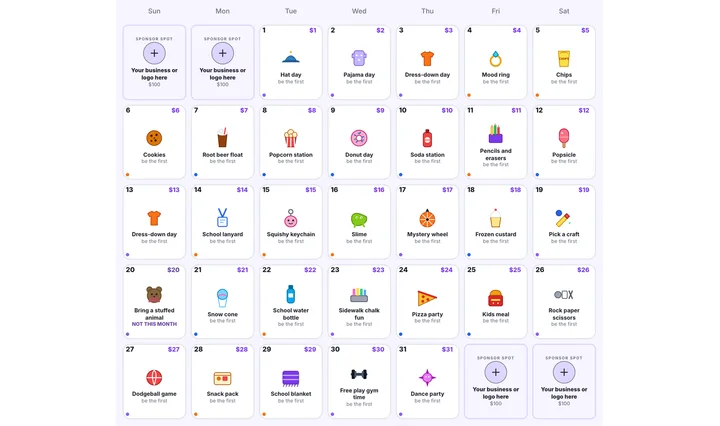
Treat Calendar
Every day a treat the student gets at school; the price is the date.
See the calendar →
Teacher Appreciation
Pick a May date, fund the week the teachers deserve.
See the calendar →
Halloween
Pick a pumpkin, fund the party — the PTA's classroom night.
See the calendar →
Christmas Party
Pick a date, fund the celebration.
See the calendar →Glow Party Fundraiser FAQ
How much can a glow party fundraiser raise?
With the price equal to the date, one student taking every day of a 31-day month is $496; a school of 400 students buying the band and a few days each lands in the thousands. The entrance band alone counts the room.
What does a glow party fundraiser cost?
Building and running the calendar is free. Families pay a small service fee at checkout, shown before they pay, and the school keeps 100% of calendar purchases. The fee is described in full in the Terms of Service.
Can a kid come to the dance without buying anything?
Yes. The dance, the games and the DJ are for every student. The calendar sells the glow gear, the food at the glow station and the bigger items, never the night itself.
How does the PTA know who gets what?
Each day prints as a list the evening before: a door list by homeroom for the gear, a glow station list for food and drink with the flavor beside the student's name, and a supplies count by color. The students' names live in the organizer's dashboard only.
Is it a donation?
No. A family buys days a student receives, so the receipt is a purchase receipt, not a donation receipt. Keep that in mind for any tax questions.
Do families need an account?
No. It's a web link: tap a day, type the student's name and homeroom, pay with Apple Pay, Google Pay, Cash App, or card.
Can we change the items?
Every day is yours: rename it, change the price, pick another neon drawing, upload a small picture of your own, or drag a day onto another to swap them. A day can also be taken off the calendar for the month.
- School fundraisers hubPTA, PTO, and classroom pick-a-date calendars
- Treat calendar fundraiserThe fill-the-calendar school fundraiser
- The glow party fundraiser guideThe step-by-step post for this calendar
- PTA & PTO calendar fundraiserEasy pick-a-date fundraising for parent groups
- How much can you raise?Calendar fundraiser calculator: participants in, total out
Updated November 8, 2026
Light up every day this month.
Build the calendar in minutes, connect a Stripe or Square payout account to go live, and send one link to the whole school. You keep 100% of calendar purchases; families cover a small service fee, shown before they pay.
Start the Glow Party calendar